For 360° vloggers and influencers

360° creator? Send your followers along for the ride.

In MV Experience, your followers look all around. On Apple Vision Pro, the trip surrounds them. On iPhone, iPad and Mac, they drag to look around.

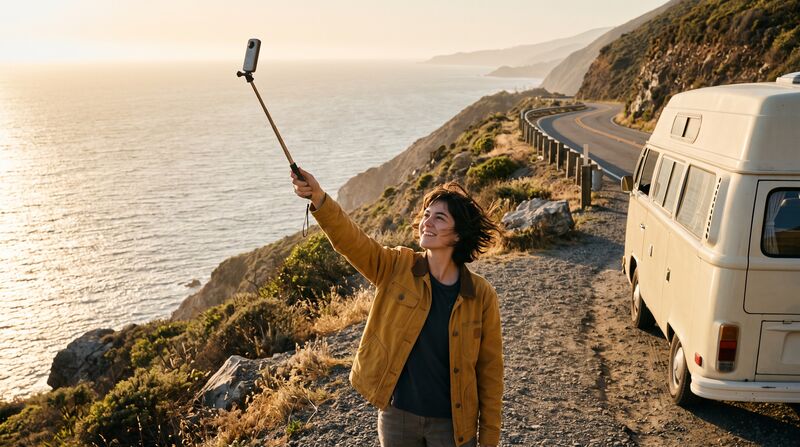
Road Trip 360°: a traveller holding a 360° camera on a pole by a coastal road, a camper van behind her.
Road Trip 360°. Example experience. Fictional.

A trip is more than a clip.

  • A trip is many stops. A feed scatters them.
  • Your top fans want something special, not one more post.
  • Brands ask how to show your trip at their stand.

Your trip, in one file.

  1. Export each stop as MP4 or MOV, with its 360° metadata.

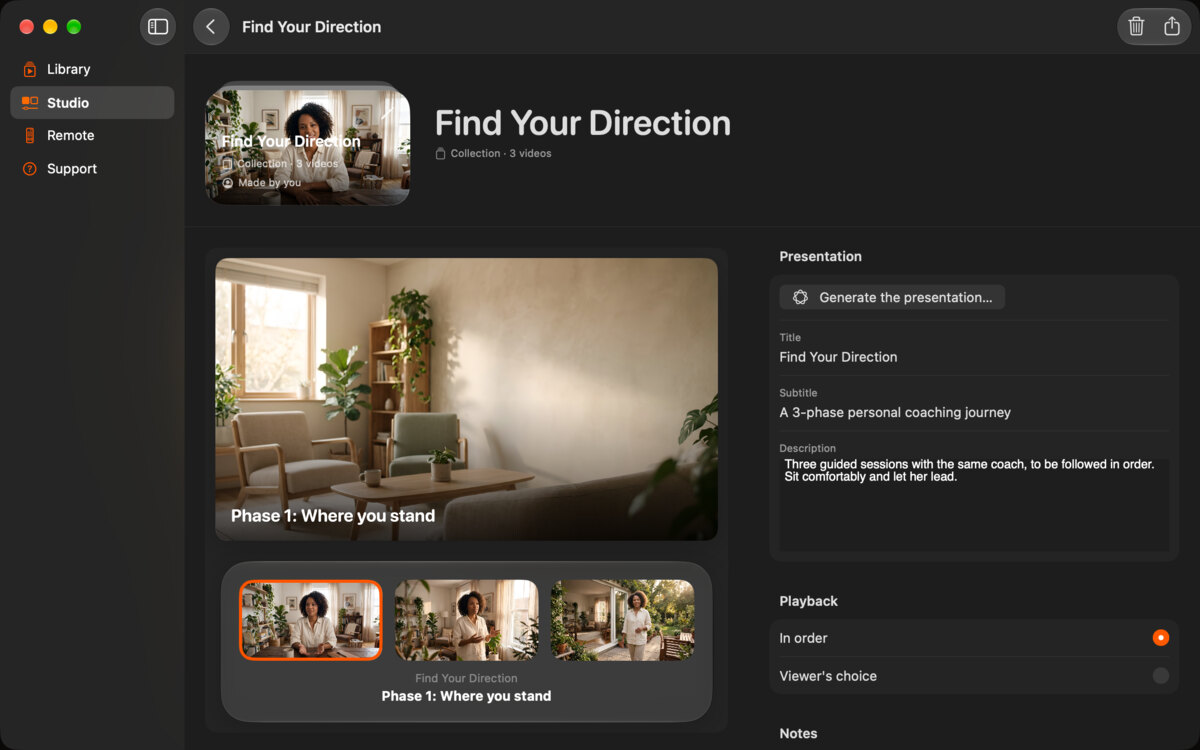
  2. Drop the stops into the Studio. Make a collection, in order.

  3. Apple Intelligence drafts each stop’s page, or you write it.

  4. Export one file, signed with your name. Share the link, or sell it to your top fans.

  5. Add the “Watch in MV Experience” badge to your link page.

The collection editor in the Studio on Mac, with its videos in order.
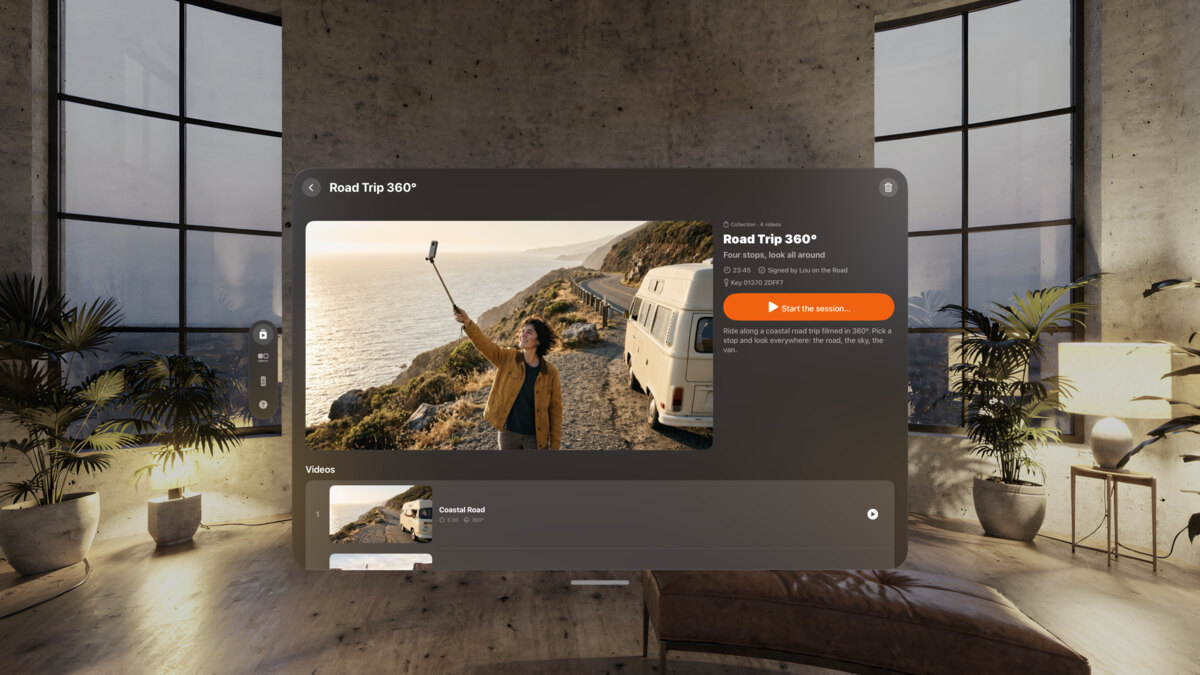
The Road Trip 360° page on Apple Vision Pro, with its picture and its list of stops.

The example

From our example library. The names are fictional.

Road Trip 360°: a traveller with a 360° camera by the coast, the cover of the experience.

Road Trip 360°

Lou on the Road

A collection of four 360° videos, in order.

“Four stops, look all around.” Coastal Road, Desert Crossing, Mountain Pass, Lakeside Camp. Each page shows its picture and its format: 360°.

Example experience. Fictional.

  • 360° Coastal Road
  • 360° Desert Crossing
  • 360° Mountain Pass
  • 360° Lakeside Camp
Immersive Beach: waves running up a sandy beach at sunset, palm trees on the left.

Immersive Beach. One video: waves at your feet.

Before you post

  • Each stop exported with its 360° metadata.
  • A collection, in order.
  • A place to host the file: your website or a file-sharing link.
  • A password if it is for paying fans.
  • The badge and the ready-to-paste paragraph from the share kit.

FAQ

Where do I put the file?

Anywhere you share files: your website, a file-sharing link, a platform that sells downloads. Followers download it and open it in MV Experience.

Do followers need Apple Vision Pro?

No. On iPhone, iPad and Mac it plays in a window, and they drag to look around.

Can I see how many people watched?

No. MV Experience collects no data, about you or your viewers.

Can I sell it?

Yes, like any digital file. Export it with a password and send the password with each order.

Take them with you.

Free to download. Public beta on TestFlight. Coming to the App Store.