
For coaches and trainers

Coach or trainer? Sell your program as one file.

Film your sessions in 180° or 360°. MV Experience turns them into a program your clients follow in order, on Apple Vision Pro, or in a window on iPhone, iPad and Mac. If you can sell a PDF, you can sell an experience.

Find Your Direction: a woman seated at a wooden table in a plant-filled room, smiling at the camera.
Find Your Direction. Example experience. Fictional.

Every video course looks the same.

  • Your clients watch a flat video, and their attention drifts.
  • Immersive formats seem to need an app, a developer and a budget.
  • You already sell on a platform for digital products, and you want to keep it.
  • Training at work must be followed step by step.

A program, in one file.

  1. Film each phase. Drop the videos into the Studio.

  2. Make a collection, set to “In order”.

  3. Export it with a password. Give the password to each buyer with the download.

  4. Upload the file where you sell digital products, next to your guides.

  5. Clients open it in MV Experience, for free. Received experiences always play in full.

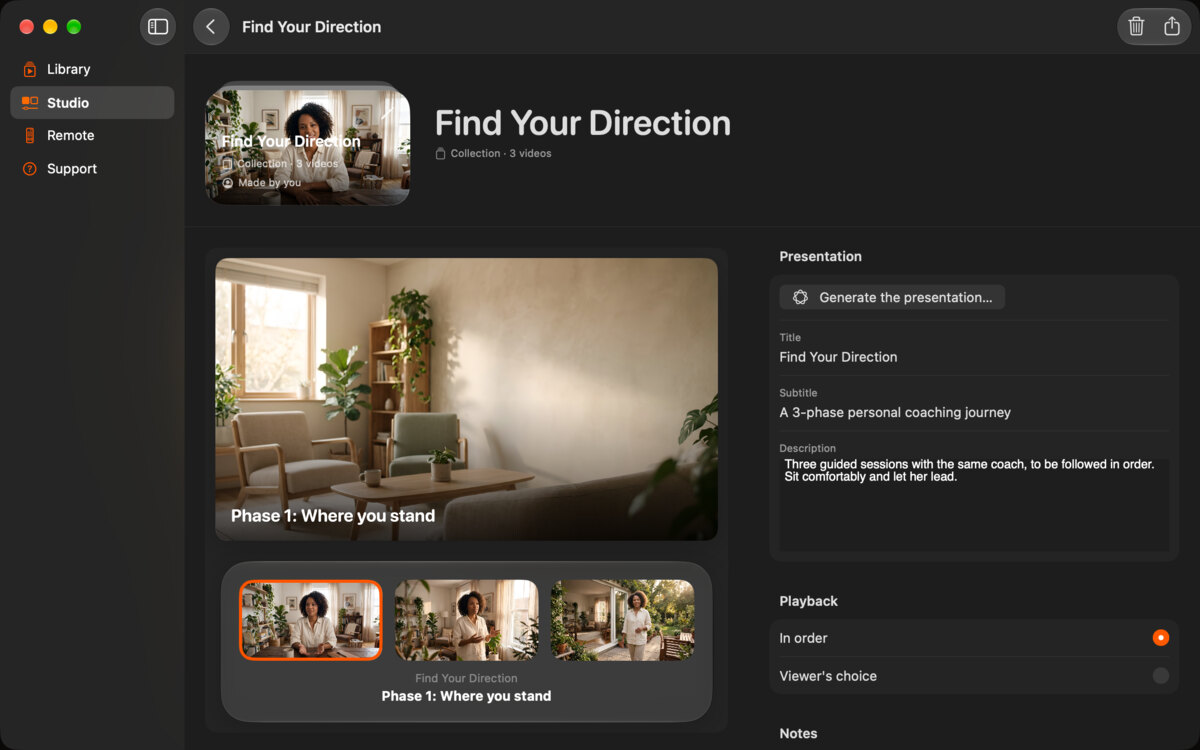
The collection editor on Mac for Find Your Direction, with its three phases and the playback set to In order.
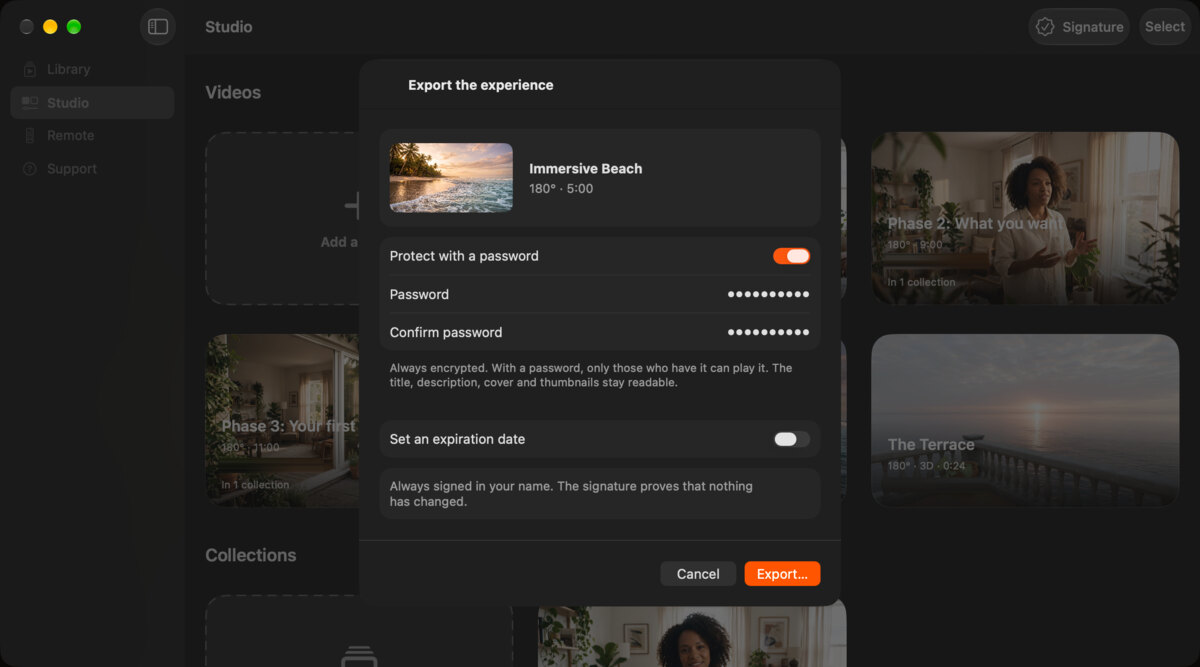
The export sheet in the Studio on Mac, with the password switch on and an option to set an expiration date.
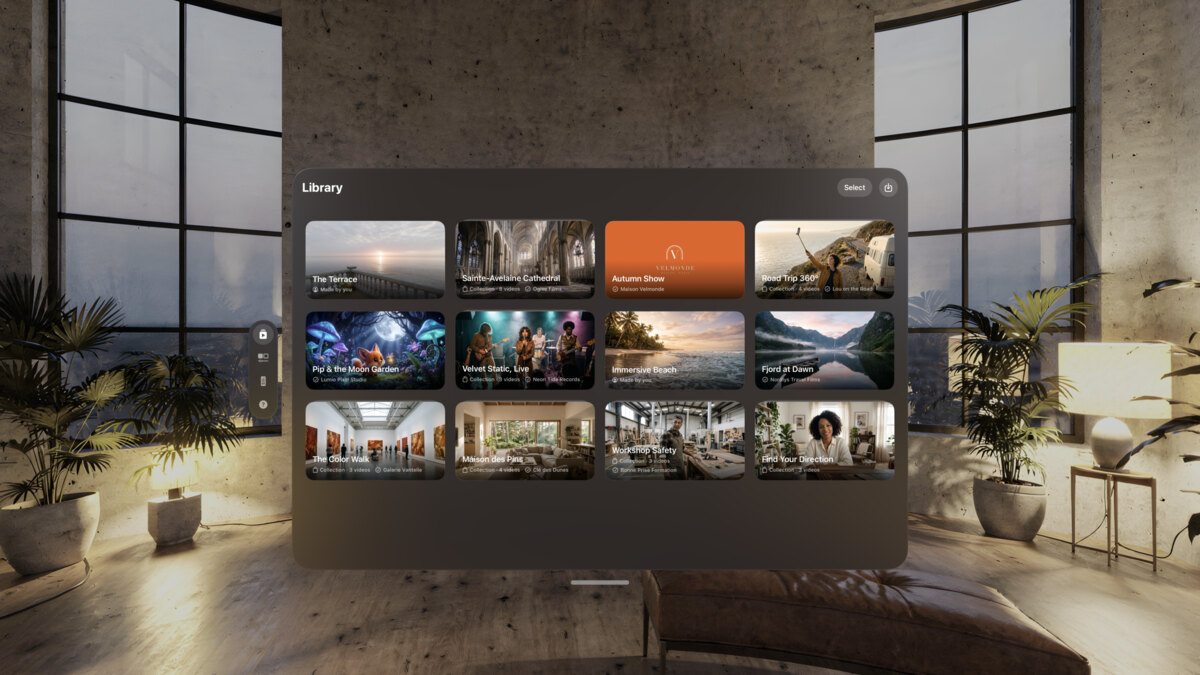
The Library on Apple Vision Pro: a received experience sits next to the others, ready to play in full.

The example

From our example library. The names are fictional.

Find Your Direction: a coach at her table, the cover of the experience.

Find Your Direction

A collection of three videos, in order.

“A 3-phase personal coaching journey.” Phase 1: Where you stand. Phase 2: What you want. Phase 3: Your first steps.

Example experience. Fictional.

  • Phase 1: Where you stand
  • Phase 2: What you want
  • Phase 3: Your first steps
Workshop Safety: a woodworker in a workshop, holding out safety glasses and gloves.

Workshop Safety, by Bonne Prise Formation. Three steps for new staff, in order: Protect yourself, Check the machine, React to a problem.

  • Protect yourself
  • Check the machine
  • React to a problem

Before you open sales

  • One video per phase, in 180°, 360° or 3D.
  • A collection set to “In order”.
  • A password, sent with each order.
  • An expiration date, if your program runs for a set time.
  • Your platform’s file size limit, checked against your file.
  • The ready-to-paste buyer instructions from the share kit.

FAQ

Can a buyer share the file?

The file is always encrypted. With a password, only people who have it can play it. Like any password, a buyer can pass it on. It is not DRM.

Will my sales platform take the file?

Platforms that sell digital downloads usually accept any file type. Check their size limit: immersive films are large.

Does MV Experience take a share of my sales?

No. MV Experience is not part of the sale. You pay only MV Experience Premium, to export.

Can I use it to train staff at a company?

Yes. Set the collection to “In order” and run sessions on Apple Vision Pro, one trainee after another.

Your next program, one file.

Free to download. Public beta on TestFlight. Coming to the App Store.